AKTU Result 2026: Check Semester Results Through AKTU ERP Login & One View
The declaration of the AKTU Result 2026 is one of the most highly anticipated academic events for students enrolled at Dr APJ Abdul Kalam Technical University. Whether you are navigating your first year or heading toward your final semester, checking your academic progress is a critical part of your university journey. Students can securely check their semester results, calculate their SGPA and CGPA, track carry-over paper scores, and monitor their overall academic performance online through two primary platforms: the AKTU One View portal and the comprehensive AKTU ERP Login dashboard.
Whether you are pursuing a B.Tech, MBA, MCA, B.Pharm, B.Arch, M.Tech, or any other affiliated professional course across hundreds of colleges in Uttar Pradesh, the grading system remains centralized. This exhaustive guide explains everything you need to know about how to seamlessly Check AKTU Result, decode your digital mark sheets, understand the complex credit-based grading formulas, and confidently navigate the revaluation and scrutiny processes if your scores don't match your expectations.
Official AKTU Login Interface Dashboard Example
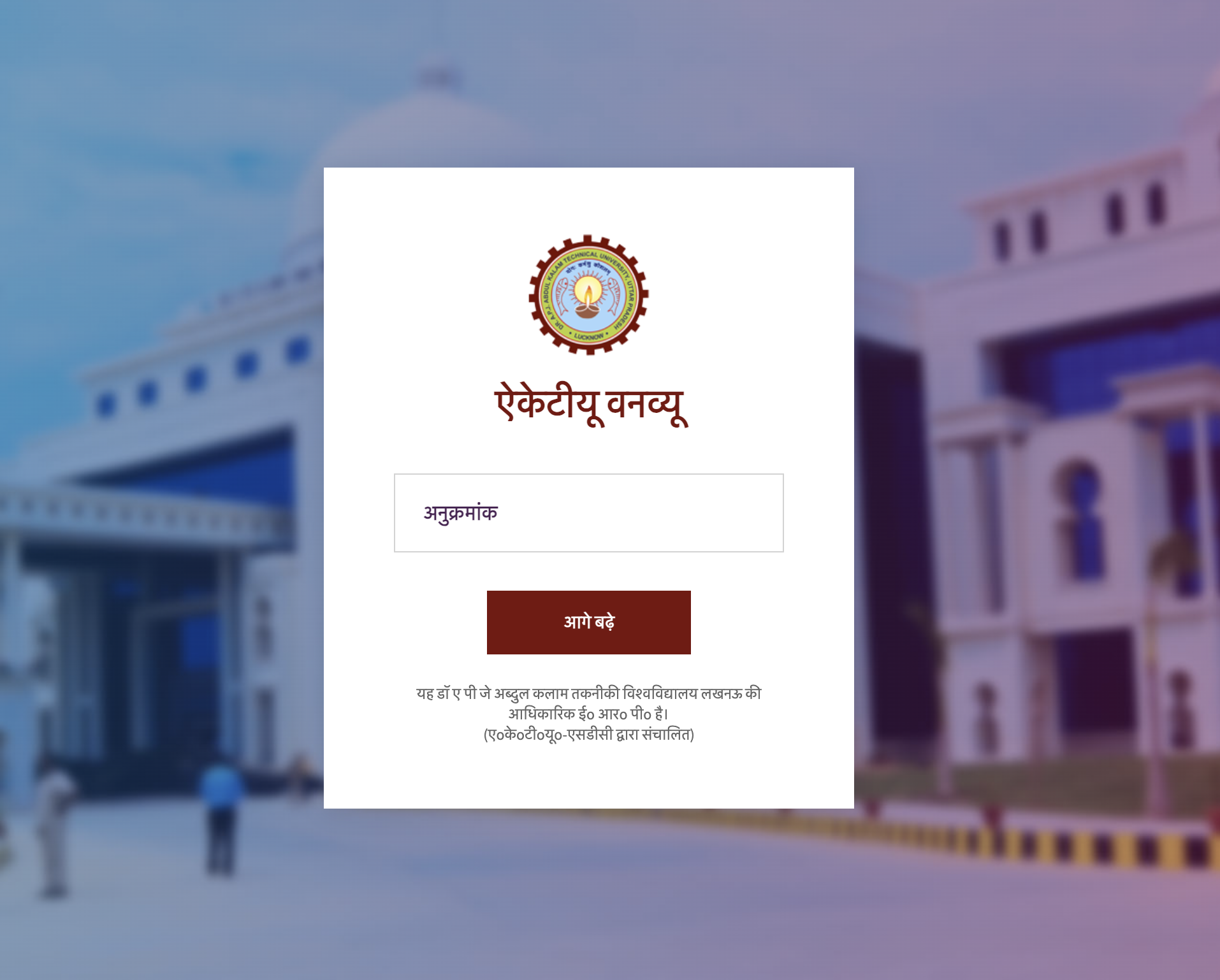
Always ensure you are logging in via the official erp.aktu.ac.in domain.
Understanding the AKTU Semester Result System
Dr APJ Abdul Kalam Technical University conducts examinations in two major cycles: the Odd Semester (typically held in December/January) and the Even Semester (typically held in May/June). Because the university evaluates answer scripts for millions of students, the AKTU Semester Result is usually published in phases. Final-year students often receive their results first to facilitate their transition into corporate placements or higher education, followed by third-year, second-year, and finally, first-year students.
The entire evaluation mechanism is digitized. Once external examiners complete the evaluation of physical answer booklets at various nodal centers, the marks are uploaded directly to the university's central database. These external marks are then mathematically combined with the internal sessional marks and practical marks uploaded by your respective college faculties. The final computed grade is what reflects on your AKTU Marksheet.
What is the AKTU ERP Result Portal?
The AKTU ERP Result Portal (officially accessible at erp.aktu.ac.in) is the official, secure digital ecosystem created by the university to manage the lifecycle of a student's academic records. Through the AKTU ERP Login system, you do much more than just view a simple grade card. You gain access to a unified dashboard that tracks your examination forms, daily attendance records pushed by your college, digital fee receipts, enrollment verification data, and historical academic data spanning your entire degree duration.
However, a common point of confusion for many students is the difference between the main ERP portal and AKTU One View. While both systems fetch data from the same central university database, they serve entirely different user experiences and functional purposes. AKTU One View was engineered specifically to handle the massive, instantaneous web traffic surges that occur on result declaration days. It acts as a lightweight, read-only interface that bypasses complex security logins.
Key Features of the AKTU ERP Portal
- Comprehensive Result Archive: View past and present semester examination results, including historical data for back papers.
- Performance Metrics: Access detailed breakdowns of your AKTU SGPA (Semester Grade Point Average) and AKTU CGPA (Cumulative Grade Point Average).
- Form Management: Fill out and submit examination forms for upcoming regular and carry-over subjects.
- Challenge Evaluation: Initiate the official process for rechecking or re-evaluating your answer scripts directly from the dashboard.
- Digital Documents: Download provisional degree certificates, migration certificates, and official transcripts.
- Profile Security: Update crucial contact information, link mandatory digital identities (like the ABC ID), and manage passwords.
AKTU ERP Portal vs AKTU One View: A Detailed Comparison
| Feature / Parameter | AKTU ERP Login Portal | AKTU One View Portal |
|---|---|---|
| Authentication Method | Requires Enrollment Number, secure Password, and OTP verification. | Requires only the 13-digit University Roll Number and a simple Captcha. |
| Primary Purpose | Full academic lifecycle management, form submissions, and secure profile tracking. | Instant, lightweight access to semester results during high-traffic declaration days. |
| Historical Data Access | Deep archive; can view internal college marks, practical breakdowns, and registration status. | Displays a consolidated view of all semesters completed to date in a single scrollable page. |
| Revaluation Requests | Yes. Students must use this portal to apply and pay for Challenge Evaluation. | No. It is strictly a read-only platform; no actionable forms are available here. |
| Traffic Handling | Can experience lag or temporary lockouts during peak result declaration hours. | Highly optimized to handle millions of queries simultaneously without crashing. |
How to Check AKTU Result Online in 2026
Depending on your current requirement—whether you are rushing to see your grades the minute they are announced, or you are carefully analyzing your internal marks for a scholarship application—you can choose between two primary methods to Check AKTU Result online. Follow these detailed, step-by-step instructions to ensure a smooth experience.
Method 1: Checking via the AKTU One View Portal (Fastest Method)
When the university releases a circular announcing the publication of results, the main website experiences an enormous surge in traffic. The AKTU One View interface is specifically optimized for these moments.
- Access the Official Link: Open a secure web browser and navigate directly to the official URL: erp.aktu.ac.in/WebPages/OneView/OneView.aspx.
- Enter Roll Number: Input your unique 13-digit university Roll Number. Double-check the digits, as a single error will yield a "Record Not Found" message.
- Solve the Captcha: Carefully read and enter the alphanumeric security captcha code displayed on the screen. This prevents bot traffic from overwhelming the servers.
- Submit Query: Click the "Proceed" or "Search" button.
- Navigate Semesters: Your academic dashboard will appear. Scroll down to find individual dropdown menus for each semester you have completed. Click the "+" icon next to the relevant semester to expand your grade sheet.
- Review and Print: Your subject-wise grades, internal marks, external marks, and total AKTU SGPA will be visible. Use the "Print" button at the top of the page to save a PDF copy for your personal records.
Method 2: Checking via the AKTU ERP Login (Detailed Method)
If you need to view your results alongside your attendance data, or if you need to apply for a back paper based on your recent scores, you must use the secure AKTU ERP Login pathway.
- Visit the ERP Portal: Go to the main ERP landing page at erp.aktu.ac.in.
- Select User Classification: From the dropdown menu on the login panel, select "Student".
- Enter Credentials: Input your university Enrollment Number (this acts as your User ID) and your secure account password.
- Two-Factor Authentication (2FA): Complete the security captcha and click login. A One-Time Password (OTP) will be sent to the mobile number and email address linked to your profile. Enter this OTP to grant access.
- Navigate the Dashboard: Once inside your student dashboard, look at the left-hand navigation menu. Scroll down and click on the "Result Dashboard" or "Examination" section.
- View Marksheet: Select the specific semester from the provided list. Here, you will find a highly detailed view of your performance, including credit allocations and status codes.
Information Available on Your AKTU Marksheet
The digital AKTU Marksheet contains several data points that determine your academic standing. It is crucial to review these details carefully upon downloading your result, as discrepancies must be reported to your college's examination controller immediately.
- Personal Identifiers: Your full legal name, father's name, institution name, course branch, and enrollment number.
- Subject Codes and Titles: Each subject has a unique alphanumeric code (e.g., KCS-501 for a Computer Science 5th-semester subject). Ensure these codes match the subjects you actually studied and appeared for.
- Internal Marks (Sessional): These are the marks awarded by your college faculty based on mid-semester class tests (CTs), assignments, class performance, and attendance.
- External Marks (Theory): These are the marks you scored in the final end-semester written examination, evaluated by external university examiners.
- Practical Marks: Scores awarded during your end-semester laboratory viva-voce and practical file submissions.
- Total Marks & Letter Grades: The combined total of internal and external marks, mapped to a specific letter grade (A+, A, B, C, etc.).
- Result Status Code: A critical indicator showing whether you have passed, failed, or been promoted under specific conditions.
Decoding the AKTU Grading System: SGPA and CGPA
AKTU follows a Choice Based Credit System (CBCS). This means your academic performance is not just a simple average of your marks; it is a weighted average based on the "credits" assigned to each subject. A heavy core subject (like Data Structures or Thermodynamics) carries more credits (often 3 or 4) than a soft-skills lab (often 1 or 2 credits). Therefore, scoring highly in high-credit subjects has a massive impact on your final AKTU SGPA.
Understanding SGPA (Semester Grade Point Average)
Your SGPA reflects your performance in a single specific semester. It is calculated by multiplying the grade points you earned in a subject by the credits assigned to that subject, adding these totals together for all subjects, and dividing by the total number of credits in the semester.
Understanding CGPA (Cumulative Grade Point Average)
Your AKTU CGPA is the overall reflection of your performance across all completed semesters. It provides a holistic view of your degree progress and is the primary metric viewed by recruiters during campus placements and universities during postgraduate admissions.
How to Convert AKTU CGPA to Percentage
Many corporate employers and government job applications require your marks in a percentage format rather than a 10-point CGPA scale. AKTU has an official, mathematically defined formula for this conversion. To find your percentage, multiply your CGPA by 10, and then subtract 7.5 from the total.
Official Conversion Formula: Percentage = (CGPA x 10) - 7.5
Example Calculation: If your CGPA is 8.2, the calculation is (8.2 x 10) - 7.5 = 82 - 7.5 = 74.5%.
Understanding Result Status Codes
At the bottom of your One View page, you will see a final "Result Status". Understanding these acronyms is vital for knowing your next steps.
- PASS: You have successfully cleared all subjects in the semester with the minimum required passing marks.
- PCP (Promoted with Carry Over Paper): You have failed in one or more subjects, but you have earned enough overall credits to be promoted to the next semester. You will need to take an AKTU Back Paper Result exam for the failed subjects in the upcoming corresponding semester (odd with odd, even with even).
- PWG (Pass With Grace): You fell short of the passing mark in a subject by a very narrow margin. The university has applied statutory grace marks to push your score to the minimum passing threshold. You do not need to rewrite this exam.
- FAIL: You have not accumulated the required minimum credits to be promoted to the next academic year. This results in a "Year Back," requiring you to repeat the entire academic year.
- UFM (Unfair Means): You were caught violating examination rules (e.g., cheating, using unauthorized devices). Your result is withheld, and a disciplinary committee will decide your academic fate.
Revaluation and Scrutiny Process (Challenge Evaluation)
If you look at your AKTU Semester Result and firmly believe that your external marks do not reflect the quality of the answers you provided, the university offers a formal grievance mechanism known as "Challenge Evaluation". This is a strict, two-stage process that you must initiate through your ERP portal.
Stage 1: Viewing the Scanned Answer Script
Before you can demand a re-evaluation, AKTU requires you to actually look at your graded paper. Through the ERP portal, you pay a non-refundable fee (typically around ₹300 per subject). The university will then upload a high-resolution, digitally scanned PDF of your original answer booklet, complete with the examiner's tick marks and score allotments. You must review this PDF carefully. If you spot calculation errors, unchecked pages, or clearly under-marked answers, you can proceed to the next stage.
Stage 2: Applying for Challenge Evaluation
If you decide to challenge the grading after reviewing your scanned copy, you must apply for Stage 2. This involves paying a much larger fee (typically around ₹2,500 per subject). Your answer booklet is entirely stripped of its previous marks and assigned to two new, independent subject-matter experts for a fresh evaluation. The average of these two new scores becomes your final mark. According to AKTU rules, if your marks increase by a specific margin (usually 20% of the maximum marks), the university refunds a significant portion of your ₹2,500 fee. However, if the marks decrease, the new lower marks will be reflected on your updated marksheet.
AKTU Back Paper Result & Carry Over Examinations
Failing a subject results in a Carry Over Paper (COP), commonly known as a back paper. Students must clear these back papers to successfully obtain their final degree.
Exams for carry-over subjects are typically conducted alongside the regular semester exams. For example, if you fail a subject in the 3rd semester (an odd semester), you will re-write that exam alongside your regular 5th-semester exams. Once evaluated, the AKTU Back Paper Result is usually announced slightly later than the regular semester results. It is important to note that clearing a back paper will improve your SGPA for that specific past semester, which consequently recalculates and improves your overall CGPA. Final year students are sometimes offered a "Special Carry Over Examination" shortly after their 8th-semester results to help them help them clear any remaining backlogs without wasting an entire year before placements.
Common Issues While Checking Results
The result declaration period is highly stressful, and technical or administrative glitches can add to the anxiety. Here are the most common issues students face and how to resolve them:
- Server Crashes: Because hundreds of thousands of students hit the AKTU One View portal simultaneously, the server may display a "503 Service Unavailable" or "Gateway Timeout" error. The only solution is patience. Try checking during off-peak hours, such as late at night or early in the morning.
- Result "Withheld": This is a terrifying status, but it usually has an administrative fix. For 2026, the most common reason for a withheld result is a failure to link your mandatory ABC (Academic Bank of Credits) ID in your ERP profile. It can also occur if your college hasn't submitted your internal practical marks to the university, or if you have outstanding tuition fees. Contact your college registrar immediately.
- Marked 'Absent' While Present: Occasionally, a student who sat for an exam is marked absent on their digital marksheet. This usually happens if the attendance sheet at the exam center wasn't digitized properly. You must submit a written application to your college along with a copy of your admit card signed by the invigilator on the day of the exam.
- Incorrect Name/Details: If your name or your parent's name is spelled incorrectly on the result portal, it will be printed incorrectly on your final degree. Raise a grievance ticket through the ERP portal and submit copies of your 10th-grade certificate for rectification.
How to Download Result PDF & DigiLocker Integration
While the AKTU One View printout is sufficient for checking your scores, it is legally considered a "provisional" web result. For official purposes—such as applying for a passport, sitting for competitive government exams, or corporate background verification—you need authenticated documents.
AKTU has fully integrated its academic records with the Government of India's DigiLocker initiative. Once the final evaluation cycle and challenge evaluations are complete, the university pushes digital, legally verified copies of your semester mark sheets and your final degree certificate directly to your personal DigiLocker account. You can download the DigiLocker app, verify your identity, and access your digitally signed AKTU Marksheet anywhere in the world. Physical mark sheets are printed and sent to your respective colleges roughly 3 to 4 months after the online declaration of results.
Related AKTU ERP Resources
Managing your university life requires staying on top of several administrative tasks. Explore our related guides below to ensure you never miss a deadline or get locked out of your student portal:
- AKTU ERP Admit Card Download: Pre-Exam Instructions & Error Solutions
- How to Find and Recover Your AKTU ERP User ID and Password
- Latest AKTU Circulars: Stay Updated on Timetables and Notifications
Frequently Asked Questions (FAQs)
Frequently Asked Questions
Find answers to the most common questions about AKTU ERP Login, Admit Card Download, Results, Registration, and Student Services.
How can I check AKTU Result online?+
Students can check AKTU results through the AKTU One View portal using their 13-digit roll number, or by logging into the AKTU ERP portal using their enrollment number.
What is AKTU One View?+
AKTU One View is the official, lightweight result portal designed specifically for viewing semester examination results, SGPA, and CGPA without needing a password.
Can I check AKTU Result through ERP Login?+
Yes, students can access comprehensive academic records, including detailed semester results and internal marks, through the secure student dashboard on the ERP portal.
What is the formula to convert AKTU CGPA to percentage?+
According to AKTU guidelines, the formula to convert your CGPA into a percentage is: Percentage = (CGPA * 10) - 7.5.
What does PWG mean in AKTU Result?+
PWG stands for Pass With Grace. It means the student failed a subject by a very small margin (usually 1 to 5 marks) and the university awarded grace marks to pass them.
How can I apply for Challenge Evaluation (Revaluation)?+
If you are unsatisfied with your marks, you can apply for Challenge Evaluation through your AKTU ERP Login. Stage 1 involves paying a fee to view your scanned answer copy, and Stage 2 involves paying for a complete re-evaluation.
Are carry-over (back paper) results published separately?+
Yes, AKTU Back Paper Result declarations usually happen a few weeks after the main regular semester results are published.
Why is my AKTU result showing as 'Withheld'?+
Results are typically withheld if a student has unpaid college fees, was caught under UFM (Unfair Means), or if their mandatory ABC (Academic Bank of Credits) ID is not linked in their ERP profile.